Cuketi
05:40
Cuketi terminal in the rain, barrier gate in the background
At the entrance 05:40

Compliant with NN 55/2024 and the Croatian Labour Act

Working-hours records for plants, construction sites and shifts.

A dedicated terminal at the entrance and a card in the worker's hand. Hours are recorded at the source, compliant with the Ordinance and ready for payroll.

Handheld terminal Z80/ Fixed terminal Z80-UPT
05:41·IP65 · IK10 · RAIN, -20°C~70°C
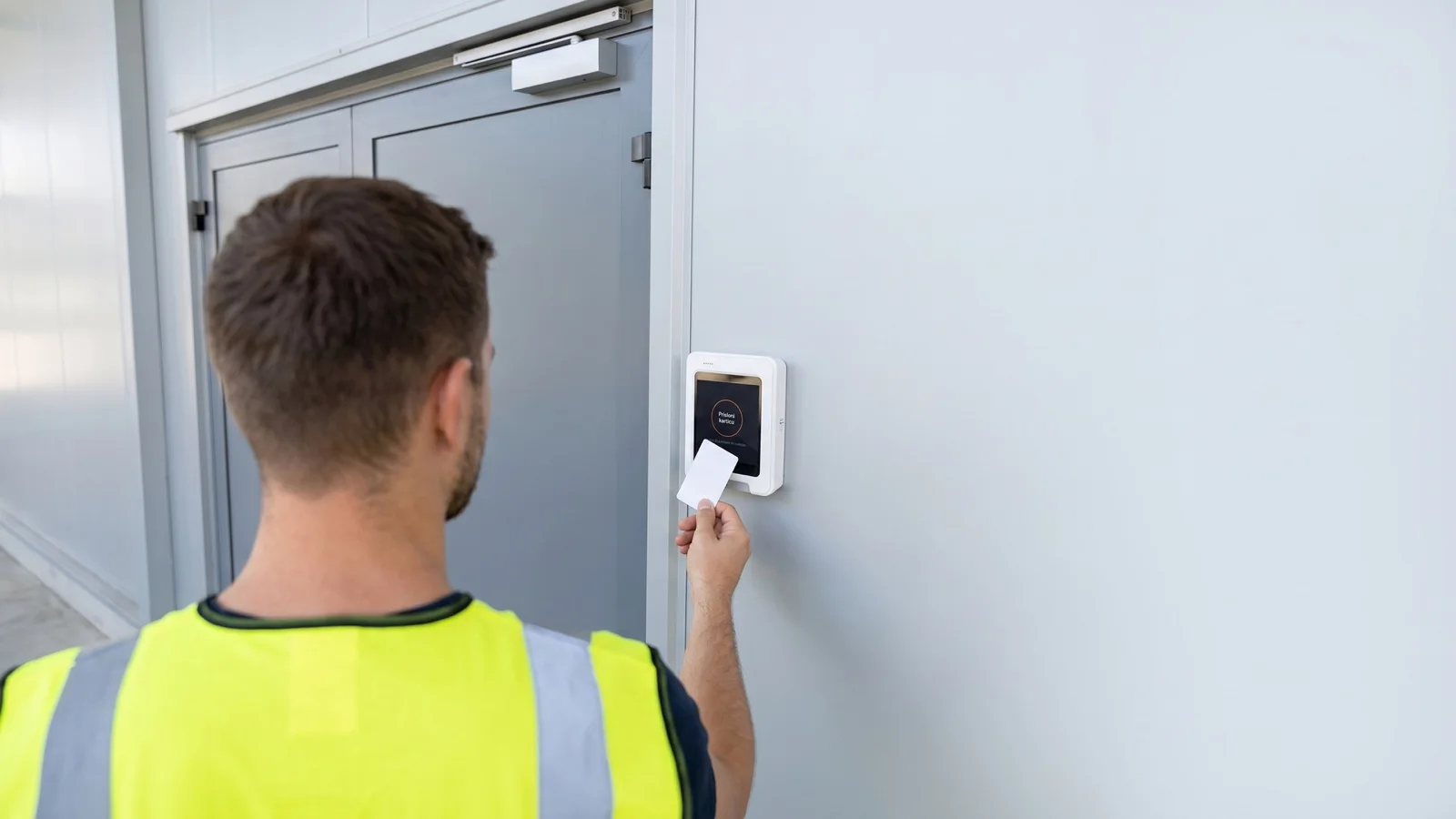
A worker taps a card on the terminal at the entrance to the shop floor
TAP
CARD
06:12 · ARRIVAL RECORDED
06:12 First card

The clock-in happens at the entrance, not in the office.

The worker taps a card, the terminal records the time and place. The record is not changed afterwards: every edit leaves an audit trail. The hours exist before anyone has to transcribe them.

  • Immutable records. The original stays, corrections are visible.
  • Audit trail. Who changed what, and when.
  • Card, PIN or QR. The same clock-in on the terminal and on the phone.
09:00 Devices

Works where a phone won't.

A terminal on the wall and a card in hand. Offline, in the rain, at minus twenty. Hours are recorded locally and sync when the connection returns. No dead zone where no one knows who is working.

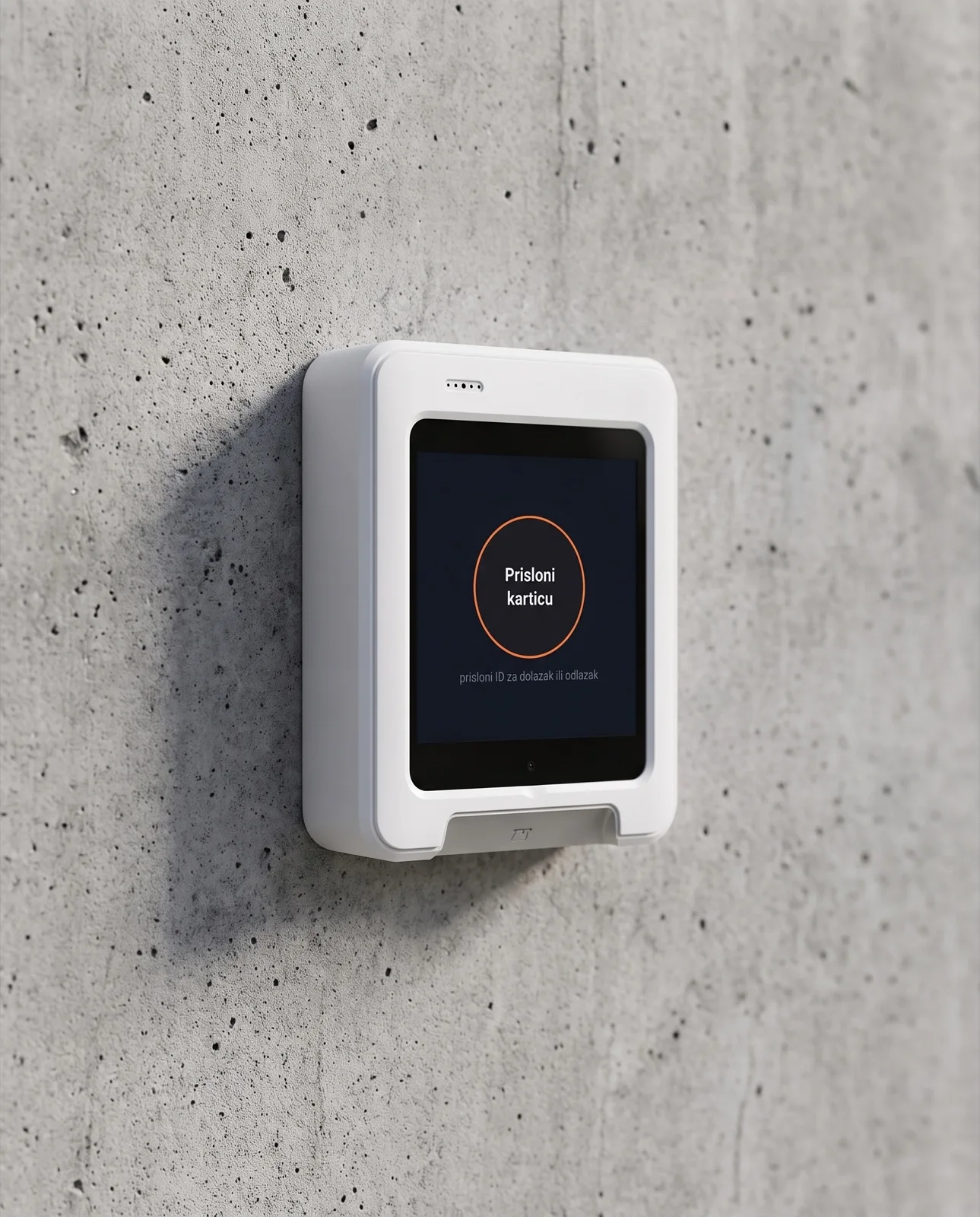
Terminal enclosure mounted on a concrete wall
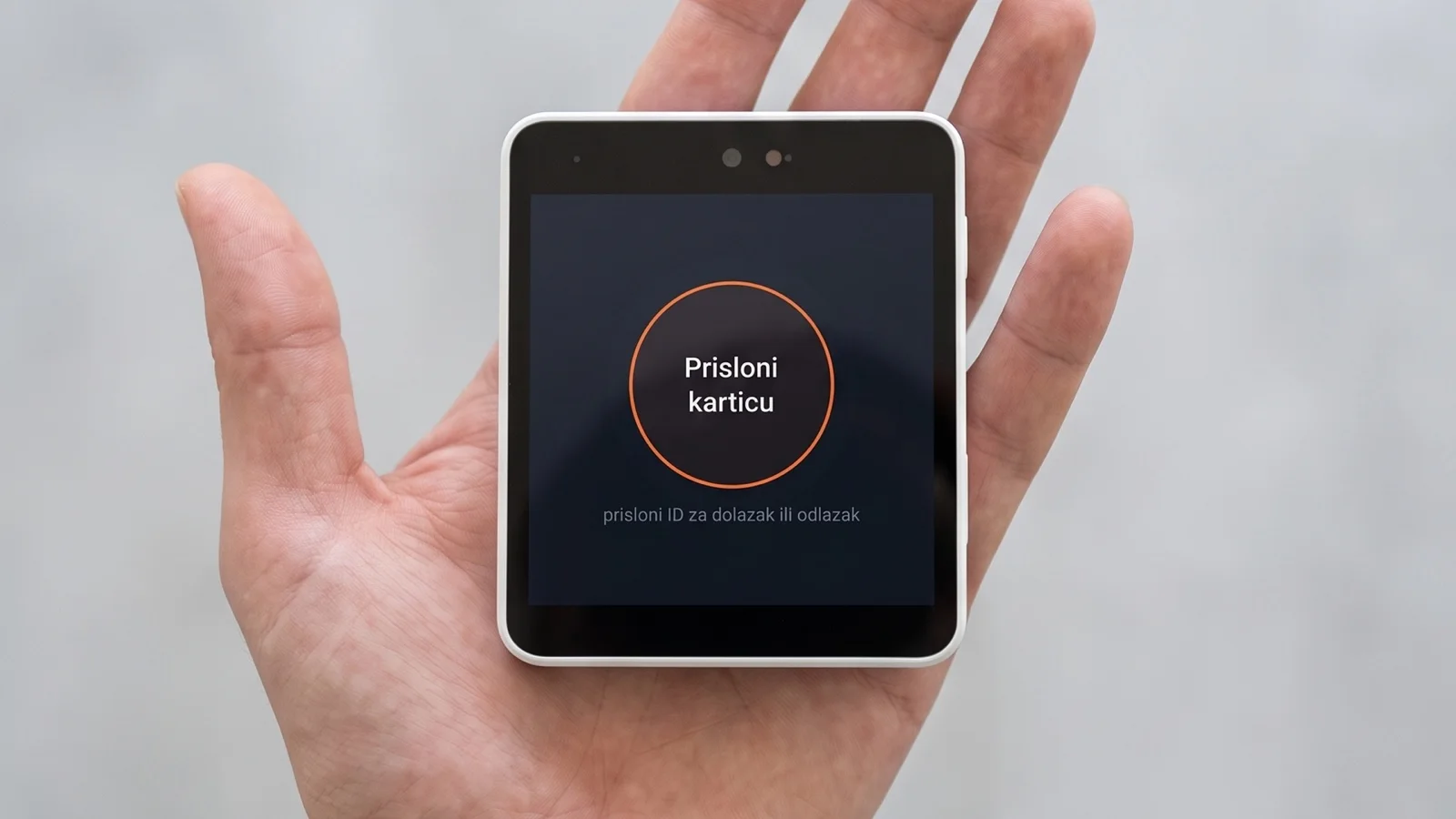
Handheld terminal Z80 in the palm of a hand
Ruggedness

IP65 · IK10
−20 °C … +70 °C

Card and connectivity

Mifare · ISO 14443
4G · WiFi · LAN

Ports

RS232 · MDB · USB
6× I/O for a lock or barrier

Fixed · Z80-UPT

102.4 × 127.2 × 53.8 mm

Handheld · Z80

4" display · 480 × 480

All terminals and specifications →
Software only · existing equipment

Already have terminals? Keep them.

We connect to your existing time-tracking terminals (primarily Anviz, others on request) through a small connector on your computer or server, over an outbound HTTPS connection. Without replacing devices and without changing workers' habits, clock-ins automatically flow into the same records and reports under NN 55/2024. Your existing terminals, our terminals and the mobile app work together.

11:30 Eight workplaces, one system

The same system works across eight kinds of workplace.

From the shop floor to the construction site, from the cold store to the field. You only choose the setup, not a new program.

See all scenarios
14:20 A question mid-task

Ask, don't search the manual.

The AI assistant sits on every page of the interface and answers questions about the system, step by step. A question usually comes up mid-task, so the conversation stays open while you work.

  • Guides you through management. From setting up a location to exporting to payroll.
  • Available everywhere. A floating helper, no searching or scrolling.
  • Doesn't touch your data. It only advises, it changes nothing in the records.
17:45 Shift handed over

Hours aren't added up by hand.

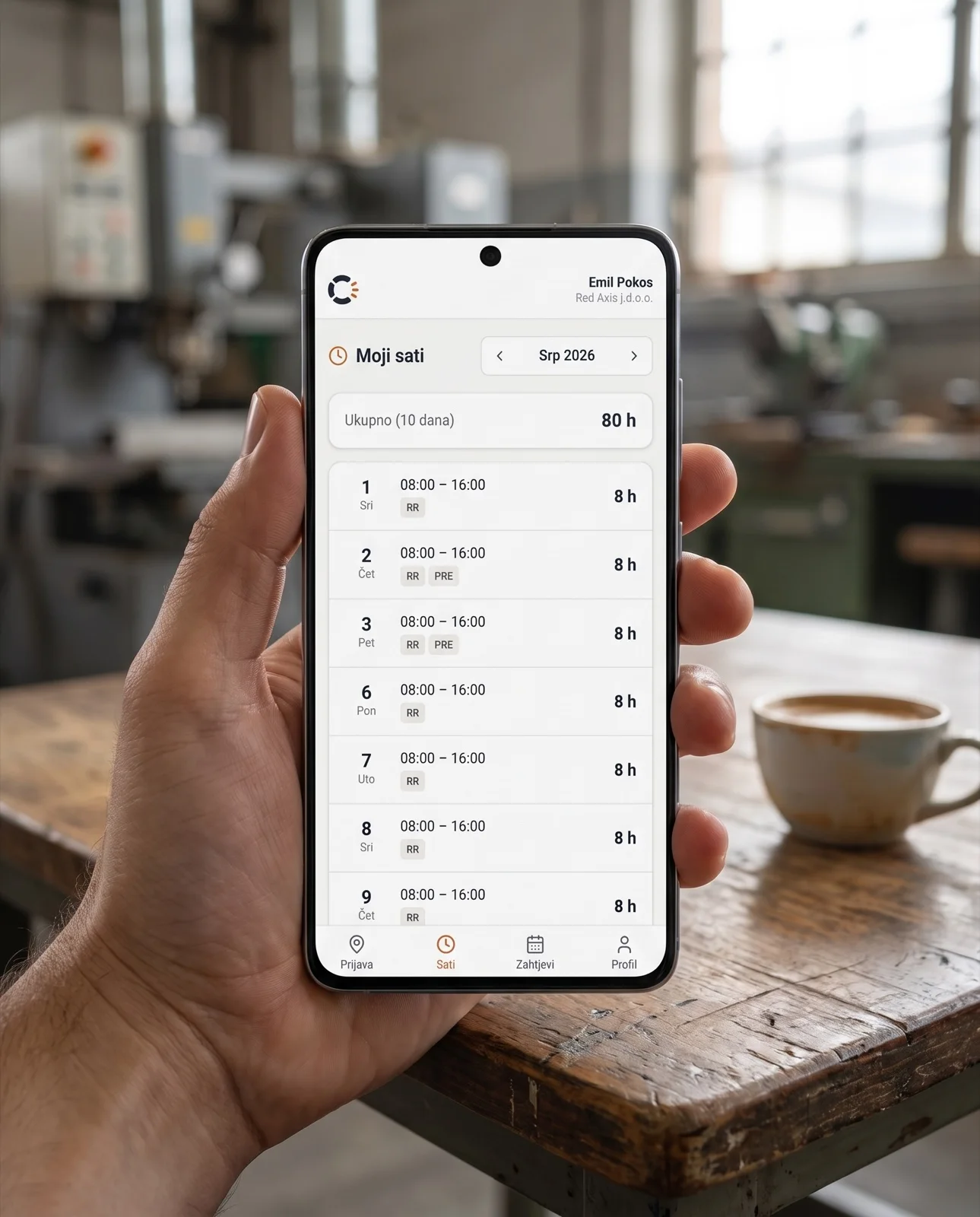
When the shift is handed over, the calculation is already done. The system separates regular work, overtime by the weekly limit, night work, public holidays and Sundays on its own. The worker sees their hours on their own phone, the same day.

REGULAR WORK OVERTIME NIGHT PUBLIC HOLIDAY SUNDAY
A worker on a phone looking at a list of their hours
TOTAL · 80 h / 10 DAYS
22:00 Night shift

Darkness falls. The system keeps counting.

Night hours run on their own, and the system flags it when something is off: a missing clock-out, work outside the schedule or outside the location. Device sharing is detected and flagged, not glossed over.

  • Missing clock-out. An open shift is visible right away.
  • Work outside the schedule. A clock-in when no one expects it.
  • Outside the location. A clock-in outside the field radius.
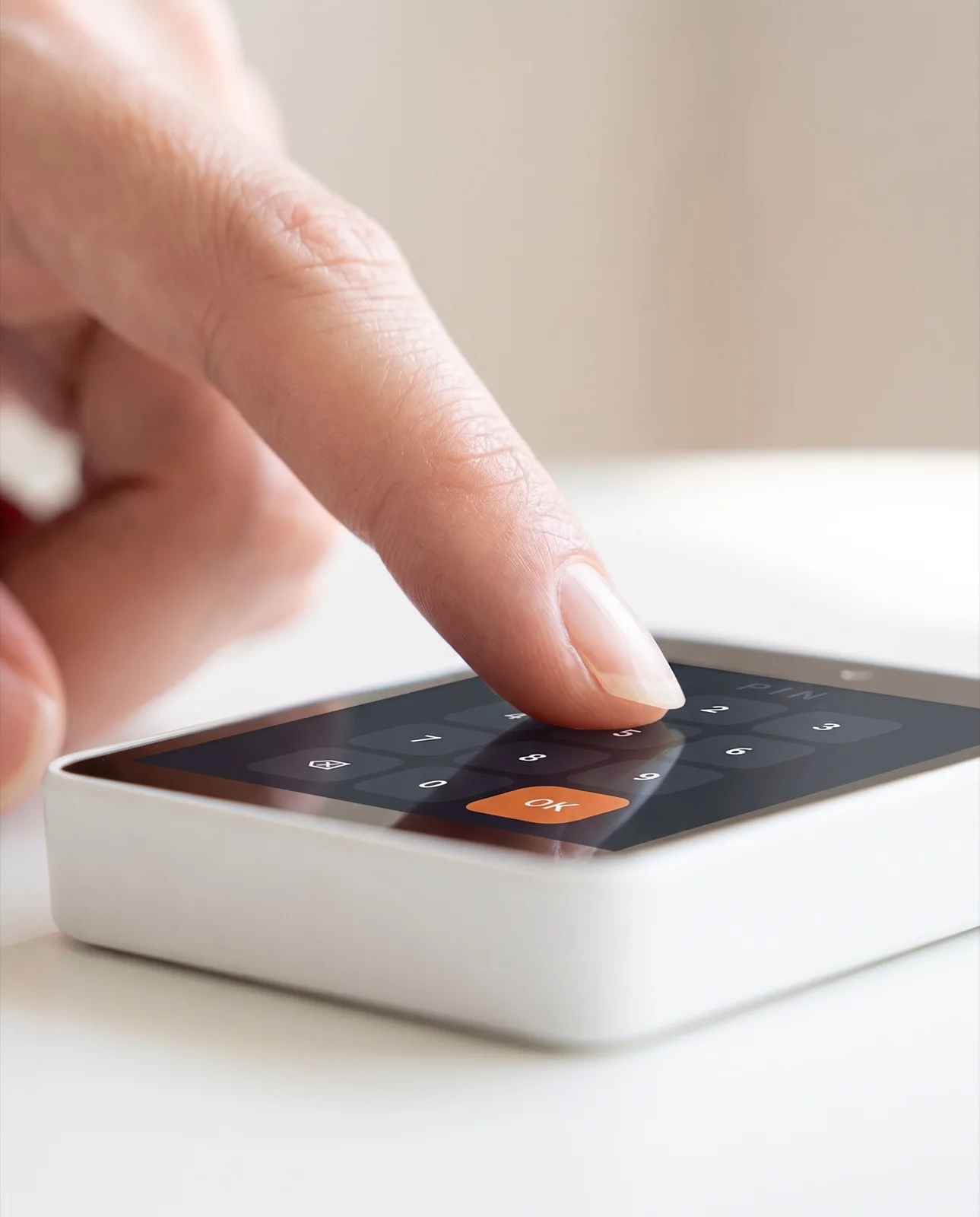
A finger entering a PIN on a lit terminal screen in the dark
22:03 · PIN · NIGHT CLOCK-IN
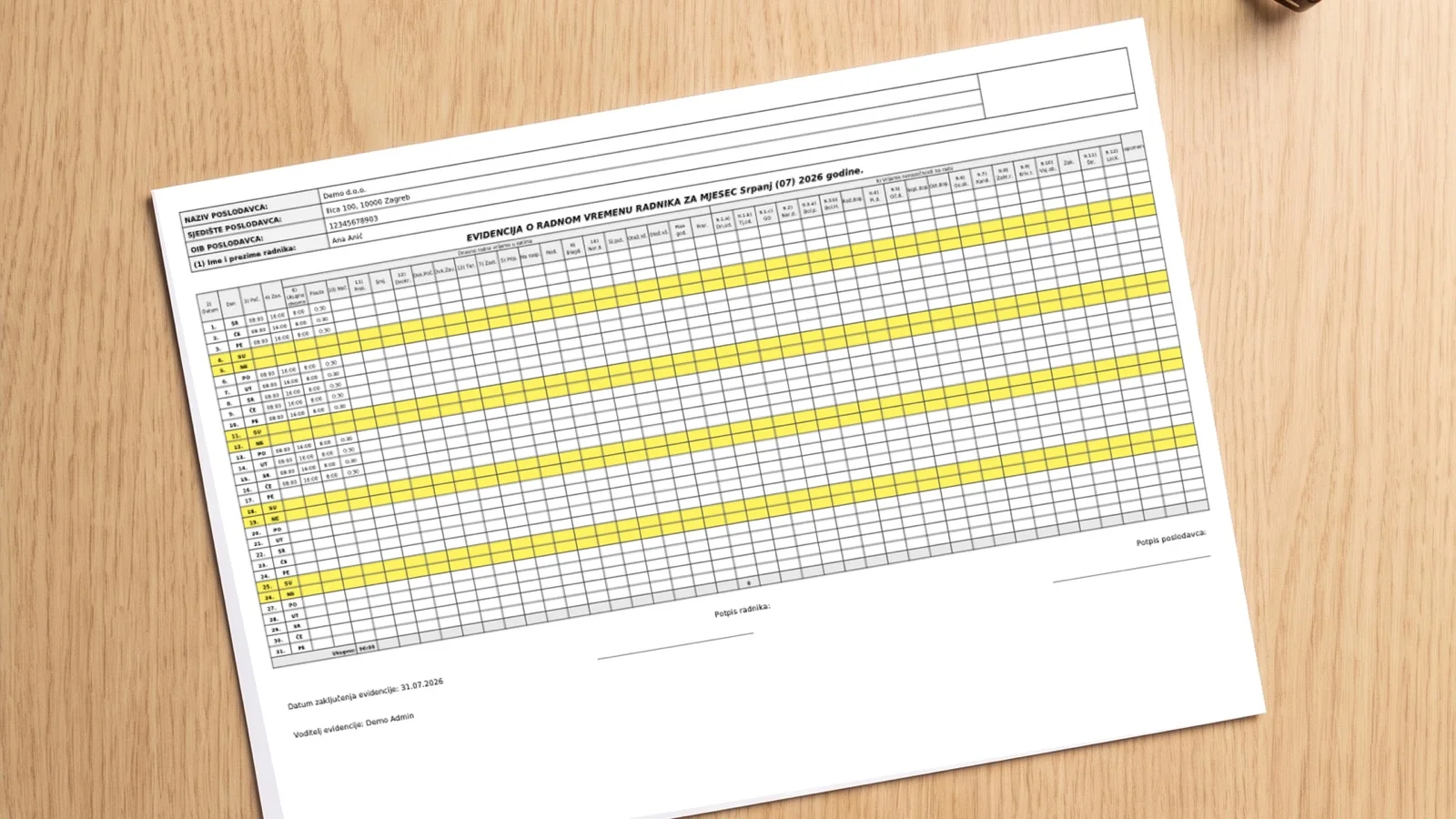
A printout of working-hours records on a desk
PDF UNDER ART. 13 · READY FOR INSPECTION
05:40 TOMORROW Ready for inspection

By morning the records are ready for inspection.

The whole day, from the first to the last card, stands as a record that doesn't change. A PDF under Article 13, an audit trail and six-year retention. When an inspector asks, the document is already there.

Immutable records· Audit trail· PDF under Art. 13· Six-year retention

Behind Cuketi stands the experience of a company that has been developing a working-hours records system for more than 15 years, along with other systems for use in business environments, with clients such as Ledo, the Calzedonia group and others.

Try it today on a tablet. You order hardware when you decide.

See pricing →
17:20 Overview in your pocket

The whole plant fits on one screen.

Cuketi is not just a terminal, it is a system that keeps the whole record. On the Board you see who is working now, how many hours there are this month, which anomalies are waiting and who is going on leave. From a phone, tablet or computer.

  • Live Board, present now, hours this month, open anomalies and upcoming leave on the first screen.
  • Workers, schedules and absences in one place.
  • Anomalies the system detects on its own, a missing clock-out, work outside the schedule, with a notification to the manager.
  • Timesheet and PDF under Article 13, ready for inspection and payroll.
  • Works on a phone, tablet or computer.

Detailed instructions for all features are in the manual.

The Board in the Cuketi app: present workers, total workers, open anomalies, hours this month and upcoming leave
A worker clocking in on the Cuketi app on their phone
07:58 Clock-in from a phone

The worker clocks in themselves. If you allow it.

In their own app, the worker records arrival, departure and breaks, requests leave and sees their hours. You turn self clock-in on or off, per company or for an individual worker.

  • Clock-in and clock-out from a phone, arrival, departure and breaks. With geolocation it is recorded only within the plant radius, and with the "clock-in outside the location" option it also works in the field.
  • Clock in at one plant, clock out at another. Each event is tied to its own location from GPS.
  • Requests for leave and other absences. The worker sees their quota, sends a request and tracks the decision, with a notification.
  • Sees only themselves, their timesheet, their PIN and QR, their notifications. Never colleagues.
  • You decide. If self clock-in is off, the worker is recorded on the terminal, and the app still shows them their hours and requests.
PRICING Software and devices, separately

The system is the foundation. You choose a device as needed.

The system subscription depends only on the number of workers, in three packages, and is billed per company. You choose a clock-in device separately, and you can also start free on a tablet or phone you already have.

Annual billing: 2 months free
Cuketi System

up to 10 workers

9.90 €
per month · per company 0.99 € per worker / mo
Cuketi System

up to 50 workers

29.90 €
per month · per company 0.60 € per worker / mo
Cuketi System

up to 100 workers

49.90 €
per month · per company 0.50 € per worker / mo

All packages include records under NN 55/2024, schedules and absences, automatic calculation of night work, overtime, public holidays and Sundays, anomalies, a PDF under Article 13 and export to payroll. The system works without a device too, on a tablet or computer.

More than 100 workers? The "up to 100 workers" package plus 3 € per year for each worker above 100.

DEVICES Your device, handheld or fixed

Start free on your own device, add a terminal as needed.

Terminals: annual rental, reduced price
Device · yours

Your phone or tablet

0 €
uses your own equipment
  • Your existing equipment and infrastructure
  • Simple setup and activation in a few steps
  • A device you use for other purposes becomes a clock-in terminal
Device · handheld

Handheld terminal Z80

99 €
annual rental · per device
  • Data SIM optional, included with a one-year contract
  • Also connects over WiFi
  • 1600 mAh battery, 12–24 h without charging
  • 20 cards and 20 key fobs with the device
  • Thanks to syncing it also works offline, for the construction site and the field
Device · fixed

Fixed terminal Z80-UPT

139 €
annual rental · per device
  • Data SIM optional, included with a one-year contract
  • Also connects over WiFi or a network cable
  • 20 cards and 20 key fobs with the device
  • IP65 and IK10, wall-mounted by the entrance

Every device comes with 20 cards and 20 key fobs. Each additional card or key fob costs 1 €.

Physical terminals are available as an annual rental at a reduced price or a one-off purchase at full price.

The listed amounts are final, with no added VAT and no hidden costs. The annual system subscription equals ten monthly instalments.

For accounting firms · free

An accounting firm signs up as a service account and access is free of charge. Each client grants you access to their records by email address, solely for bookkeeping purposes, so you manage all clients from one place.

Sign up as a service account →
Try the demo

Fixed terminal installation. The customer provides the conditions for mounting at the intended spot. The installation itself requires no complex technical prerequisites and is simple with the instructions supplied with the device. We offer installation and initial setup as a service on request.

FREE · 2 MONTHS No card

Start free. Two months, no card.

You enter your OIB and the company details fill in on their own. You add workers and the records start, usually in about ten minutes. During the trial you don't need a terminal: the app on the manager's phone works as a terminal. After two months you decide about a subscription.

Try the demo
01

Enter your OIB

The company details are pulled from the register. You add workers individually or by importing from Excel.

02

Confirm your email

We check that the company is real, and you confirm your address via a link.

03

The records start

The app on the manager's phone (or several of them) serves as a terminal. Workers clock in with a card, QR or PIN.

04

After two months

You decide about a subscription and, if you want, buy terminals.

Trial

Two months, no terminal

  • No card entry and no commitment
  • The manager's phone (or several) as a terminal
  • All records and reporting features
Full service

Subscription and terminals

  • The system from 9.90 € per month (99 € per year), by number of workers
  • A handheld or fixed terminal is bought separately
  • 20 cards and 20 key fobs with every device
Frequently asked questions

Questions we get most often

Short answers to what employers most often check before they start. More detail on the blog.

Is Cuketi compliant with the Croatian Ordinance on working-hours records (NN 55/2024)?
Yes. Cuketi records the start and end of the working day, hours worked, overtime and night work, breaks and absences, and you export the records as a PDF ready for inspection. The record is created at the source and cannot be quietly altered afterwards. More in the guide to the Croatian Ordinance NN 55/2024.
Do I have to buy a terminal to get started?
No. You can start free on a phone or tablet you already have; the device works as a clock-in terminal. You add a dedicated handheld or fixed terminal later, when you need it.
Do the records work offline?
Yes. The dedicated terminal stores clock-ins locally and syncs them when the connection returns, so it works even on a construction site or in a cold store where the connection is sometimes down. More in the article on records on construction sites and in the field.
What is the fine if records are not kept properly?
Under the Croatian Labour Act, fines for a legal entity range from 8,090 to 13,270 euros, plus a separate fine for the responsible person. The burden of proof lies with the employer. A detailed overview is in the article on fines for improperly kept records.
How much does Cuketi cost?
The system is billed per company, in three packages by number of workers: 9.90, 29.90 or 49.90 € per month, or 99, 299 or 499 € per year (up to 10, 50 or 100 workers). Annual payment equals ten monthly instalments. Your existing phone or tablet is free, and you rent or buy a dedicated terminal. All items are in the pricing.
Is it free for accounting and bookkeeping firms?
Yes. An accounting firm signs up for free and accesses the data of those clients who have granted it access, with no subscription of its own. Details on the for accounting firms page.
Can workers see their own hours?
Yes. On their own phone, each worker sees their clock-ins and monthly total of hours, the same day, which reduces confusion around payroll.
Can Cuketi connect to existing terminals?
As a rule, yes. We connect to your existing time-tracking terminals (primarily Anviz, others on request) through a small connector that sends clock-ins to Cuketi over an outbound HTTPS connection, without replacing devices and without changing workers' habits. Tell us what equipment you have and we will check feasibility.
Do I have to change my equipment to use Cuketi?
Not necessarily. When a connection is feasible, Cuketi runs as "software only" on your existing equipment, and it can be mixed with our terminals and the mobile app. If your devices are not supported, you start without hardware on a phone or add our terminal.
Contact

Have a question?

Get in touch and we'll reply as soon as possible. For a quick start you don't need an inquiry: you open a trial account yourself.

We use your data solely to reply to this inquiry. We do not share it with third parties.